Simpleware Software Overview

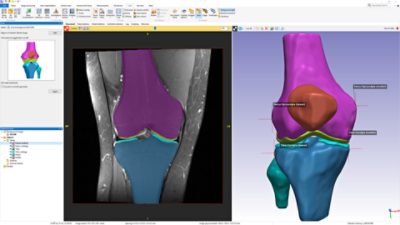
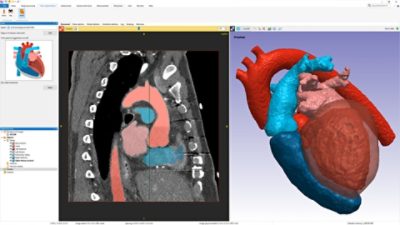
Simpleware provides the world-leading software solution for the conversion of 3D images into CAD, Rapid Prototyped and Finite Element models.

Simpleware offers three options for processing and meshing 3D image data:

  • ScanIP: Core image processing platform
  • +FE Module: Integrated module for Mesh generation
  • +CAD Module: Bolt-on module for CAD integration

New in Version 4


  • Multipart adaptive surface remeshing in +FE Free for surface and volume meshes:
    The surface adaptation remeshing available in v4.0 for single part models has now been extended to multipart models. This means models of various sizes can be produced without the need for resampling of the image data whilst still preserving the conforming interfaces between masks.
  • 3D editing tools to make modifications from within the 3D view:
    We have developed a set of 3D editing tools that will allow you to select local regions of interest in the 3D view and then to apply a choice of filters - delete, smooth, dilate, erode and fill.
  • New visualisation options for mask transparencies and mesh clipping:
    To help you further inspect the 3D models and meshes we have extended the clipping and transparency options in the visualisation options.
  • New Student/Teaching edition for student projects and teaching:
    We are pleased to announce our new Student Edition which has the same functionalities as the full version. The only restrictions are in the size of images which can be meshed and exported.
  • Other new features include: Export using original coordinate system, Global coordinate axes widget, etc.

Compare the Features of our Packages

Feature ScanIP ScanIP+FE ScanIP+CAD ScanIP+FE+CAD
Import Image Data (incl. CT, MRI, Jpeg …) yes yes yes yes
Segmentation yes yes yes yes
Measurement and Statistics Tools yes yes yes yes
Generate High Quality Surface Mesh yes yes yes yes
Generate High Quality Volume Meshes (Hex/Tet or All Tet) yes   yes
Automated Greylevel based Material Property Assignment yes   yes
Robust Booleans Between Parts   yes yes yes
Import CAD/STL   yes yes
Position CAD within Image   yes yes
Export STL yes yes yes yes
Export FE Mesh (Abaqus, Ansys etc.) yes   yes
Export CFD Mesh (Fluent etc.) yes   yes

Hardware & Software Requirements

Minimum Recommended
Operating system: Windows 7* • Windows Vista* • Windows XP* • Windows 2000 Windows 7 64-bit edition
*Fully compatible with the 32 and 64 bit versions of these operating systems.
Processor: Pentium 4 Intel Core i7
Memory: 1024 MB (1GB) 4096 MB (4GB) or more
Graphics card: OpenGL compatible graphics card with 32 MB RAM OpenGL compatible graphics card with 512 MB RAM
Screen resolution: 1024 x 768 High colour (16 bit) 1280 x 1024 True colour (32 bit) or more
Disk space: 1 GB 100 GB
If you need any advice choosing your hardware configuration we would be happy to help. Please contact us at info@simpleware.com

How to Buy Simpleware Software

For further information on our licence options and to receive a quote, please simply contact us at info@simpleware.com.

One of our representatives will get in touch to discuss your requirements.

Licence Options

We provide different licences for commercial and non-commercial use as well as teaching packages. They can be purchased on a perpetual or annual contract and come with full support and upgrades for one year. Different options are also available, including node-locked, floating or dongle licenses.