+CAD Module
Providing a straightforward method for the import, interactive positioning and integration of CAD models within image data.
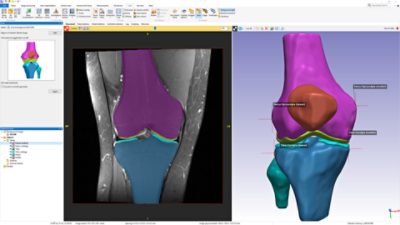
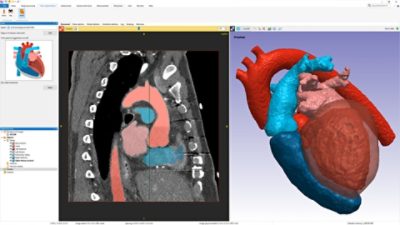
The +CAD module (formerly known as +ScanCAD) is a bolt on module to ScanIP which allows CAD objects to be integrated into 3D images. The resulting combined models can then be exported as multi-part CAD models or, using the +FE module, converted into multi-part volume meshes.
New in Version 4
Internal structures for rapid prototyping
- Seamlessly add complex lattice structures to STL
- Save material costs whilst maintaining mechanical requirements
- Additional option to automatically mesh internal structures for FEA
Benefits
-
Combine image and CAD data easily
Avoid working with image based models in CAD
-
Generate accurate meshes representing combined image and CAD data
Robust meshing alogorithms in ScanIP and the +FE module
-
Simplify the generation of multiple meshes for testing surgical variability
Rapid, repeatable and accurate
-
Design surgical guides and templates, introduce scaffolds/micro-architecture
Seamlessly replicate real-world scenarios
Key features
- Direct import of most common CAD formats into 3D image
- User-customisable graphical interface with 2D/3D views
- ‘On the fly’ repair of non-watertight CAD models
- Real-time interactive or direct keyboard input for accurate model positioning
- Constrained motion positioning along user-defined vectors
- Geometry preserving re-sampling
- CAD primitives for template generation
- Internal micro-architecture generation
- Export combined models as STL or into ScanIP for volume meshing
+CAD Technical Data
The +CAD module allows the import and interactive positioning of CAD models within image data. The resulting combined models can then be exported as multi-part CAD models or, using +FE, converted automatically into multi-part finite element or CFD meshes.
►expand all ►hide all
Import Formats
- Images and surface models from ScanIP
- STL
- IGES
- STEP/STP
- 3DS
Export Formats
- To ScanIP (for meshing)
- STL
User Interface
- User controlled view layout and dockable toolbars
- Conversion of CAD and STL from a surface to image data by voxelisation, three methods:
- Accurate for manifold objects: when converting watertight object
- Accurate for non-manifold objects: when converting non-watertight object
- Robust: Less accurate but failsafe option for poor quality objects
- CAD primitive generation
- Cuboid
- Cylinder
- Sphere
- Cone
- Tube
- Manipulate CAD objects both interactively and by absolute position
- Transform
- Rotate
- Scale: aspect ratio preserving or along specified axis
- Use global, local or defined axis for object manipulation
- Image resampling
- Interactive clipping box for section views
- Range of visualisation and rendering settings
- Blending functions: Ray casting, texture mapping
- Colour mapping
- Opacity mapping
- Lighting controls
- Vertex line visibility
- Wizard tool allows shelling and adding a range of internal structures flexibly to any object